Live effects: make the mockup react
A static mockup just sits there. A live one leans toward the viewer, jolts when they click, zooms in where they point. Live effects add that reaction — and they run only in a live embed, responding to whoever is actually on your page.
Adding an effect
In the side panel, open the Live section. Click any effect to switch it on, tweak its settings, and close it with the ×. You can stack as many as you like — Follow Cursor and Shake on Click happily run together.
The four effects
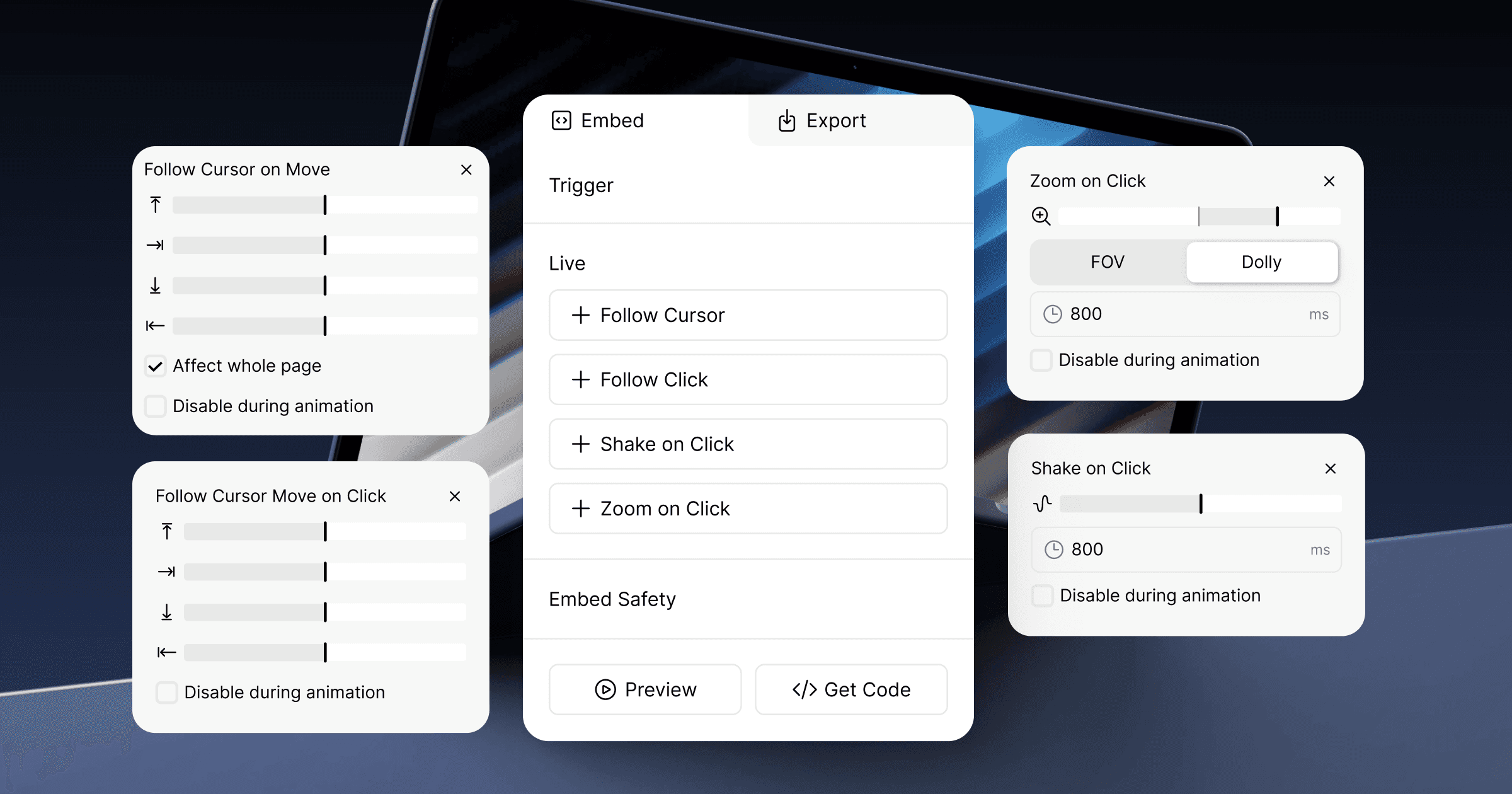
Follow Cursor — the device tilts toward the viewer's cursor as it moves. The four sliders (↑ → ↓ ←) set how strongly it leans on each side.
Follow Click — the same tilt, but it reacts on a click instead of tracking the cursor continuously.
Shake on Click — a quick jolt when the viewer clicks. Three sliders shape it: power, angle, and zoom.
Zoom on Click — the device pushes in on a click. Two modes: FOV is a flat magnification, like zooming into a photo; Dolly moves the camera in like a film push-in, so the perspective shifts and the scene feels three-dimensional.
Settings you'll see on most effects
The ms field sets how long a single firing lasts.
Affect whole page lets the effect track the cursor and clicks across the entire page, not just the mockup's own box. One catch: this only works in the web-component embed. With a URL or iframe embed, the effect always stays inside the embed area.
Disable on play switches the effect off while a triggered video is playing, so the two never fight for attention.
Common questions
Can I run more than one at a time?
Yes — add as many as you want. They stack.
Why does "Affect whole page" do nothing?
You are embedding via URL or iframe. That option needs the web-component embed; otherwise effects are confined to the embed area.
Will these show up in my exported video?
No. Live effects react to a real visitor, so they only exist in a live embed — never in an exported video or image.