Light your mockup scene
Light is what turns a flat device into something that feels real. mckp.live gives you a small set of lights per scene — adjust them, but you cannot add new ones.
The controls
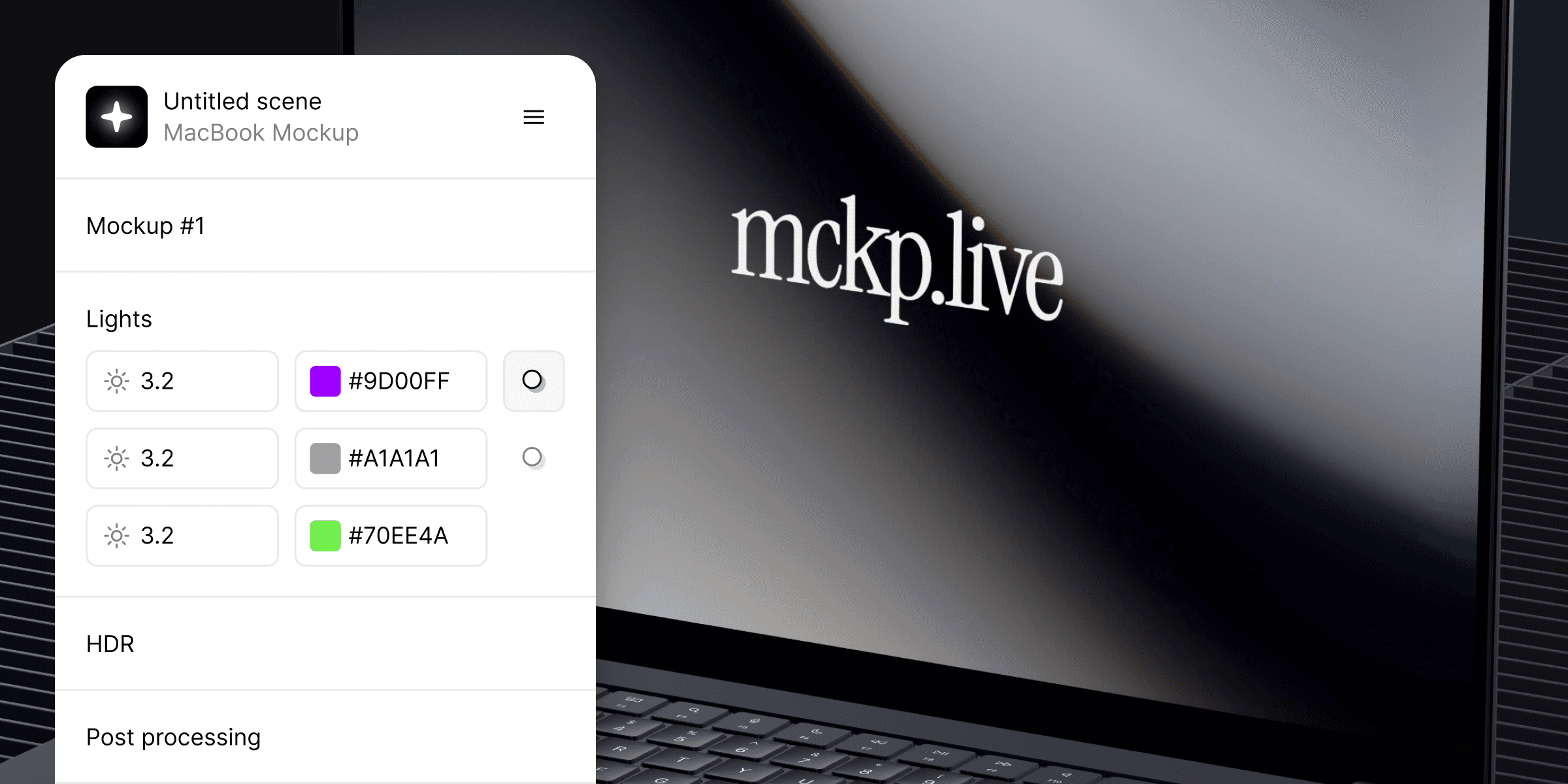
Open the Lights section. Each light has two settings:
Brightness — how strong it is.
Color — what hex it casts.
Pick a value, pick a color, see the change live.
The brand color trick
Switch one light to your brand color. Leave the rest neutral.
The device picks up a soft cast of your brand on its edges. Subtle, almost subconscious — but the mockup starts feeling like part of your product instead of a stock render.
What not to do
Do not color every light. Four brand-colored lights look like a disco. The screen gets harder to read, the scene stops feeling like a photo.
One accent. The rest neutral. That is the rule.
Common questions
My screen looks washed out.
Lower the brightest light, or shift a neutral one a touch cooler to bring contrast back.
Will the lighting export with the video and image?
Yes. The whole scene exports as you see it.